What Are Modern Workplace Solutions?

Modern workplace solutions are not a single app or a new office layout. They are the connected tools, practices, and support systems that help people work securely across locations. Think of a video meeting that starts on a laptop, a shared document updated in real time, and clear rules for who can access it. Small details matter. A slow login or unclear handoff can disrupt an entire team.

Jared Spataro, a Microsoft executive focused on modern work, has described the shift this way: “The future of work is hybrid.” That idea is useful, but it is not a complete plan. Hybrid work can widen access and improve flexibility; it can also leave people isolated or overload them with notifications. The technology alone cannot fix those problems. Leaders need to consider employee needs, accessibility, cybersecurity, and the quality of everyday collaboration. These choices deserve regular review.

This outline explores what modern workplace solutions include, how organizations assess them, and where implementation often goes wrong. It also considers practical measures, from device management to meeting norms, that can make work smoother without adding needless complexity. No setup fits every team. The strongest approach starts with real work patterns, tests changes carefully, and listens when employees say a tool is not helping.
What Are Modern Workplace Solutions?

Definition and Scope: Integrated Systems, Policies, and Work Environments

Modern workplace solutions are not a single app or a renovated office. They combine digital systems, clear policies, and work settings that support different tasks. A team member might reserve a desk, join a video meeting, and find current project files without navigating several confusing tools. Small frictions accumulate. A room-booking display that shows stale information can waste time and weaken trust in the wider system.

Policies set practical boundaries for how these tools and spaces are used. They can explain which information belongs in shared files, how employees request equipment, and when a quiet room should be available. Good guidance is specific enough to help, but flexible enough for real work. Too many rules can create their own bottlenecks. Not every team works alike.

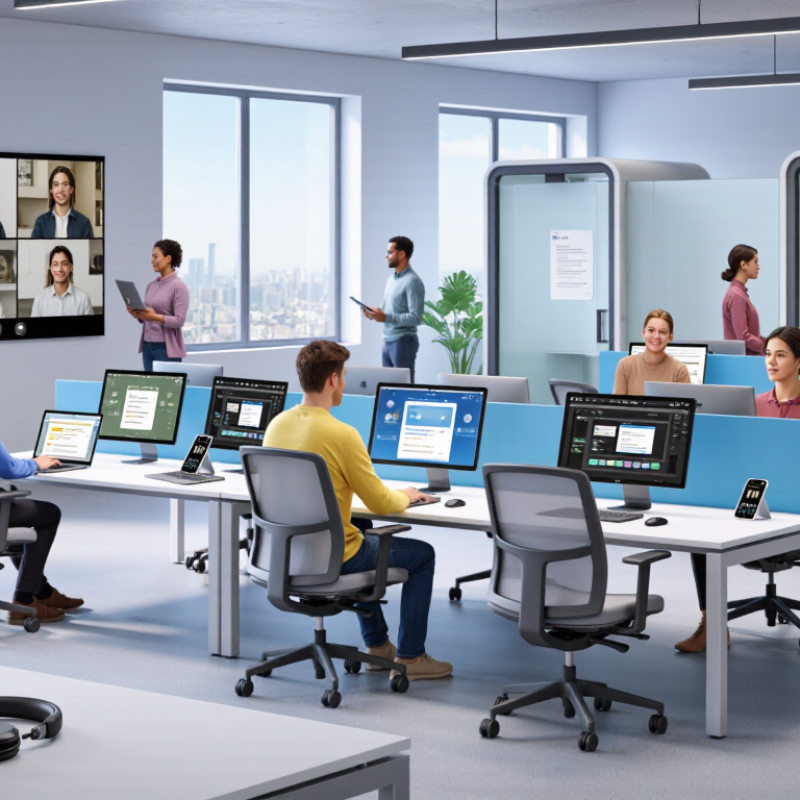
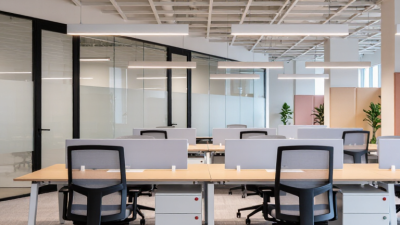
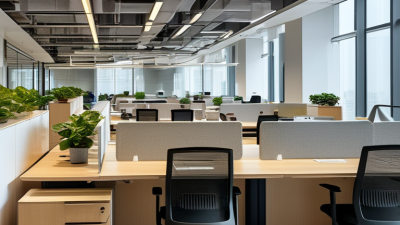
The physical environment matters, too. A hybrid office may need reliable meeting-room audio, adjustable lighting, accessible workstations, and quiet areas for focused tasks. These details are easy to overlook in a technology plan. Teams can review room use, support requests, and employee feedback to spot recurring problems. The numbers help, but they do not tell the whole story. Some people may avoid reporting a poor setup, or keep using an awkward workaround. That gap deserves attention.
Core Components: Collaboration, Cloud, Security, and Smart-Office Tools

Modern workplace solutions connect people, systems, and physical spaces rather than simply adding more software. Collaboration tools should make decisions visible through shared notes, clear task owners, and video calls with captions. Gallup’s 2024 State of the Global Workplace reported that only 23% of employees worldwide were engaged. That figure is not a tool score, but it shows why access alone cannot create a connected team. Access is not belonging. Small habits matter.

Cloud services let staff open current files across offices, homes, and mobile devices. Flexera’s 2024 State of the Cloud Report found that 89% of surveyed organizations used a multi-cloud strategy. This flexibility also creates more accounts, permissions, and data paths to manage. IBM’s 2024 Cost of a Data Breach Report placed the global average breach cost at $4.88 million. Use multifactor authentication, least-privilege access, and tested recovery plans. Security must be usable, too; clumsy sign-in processes can invite workarounds.

Smart-office tools add room sensors, occupancy displays, and adjustable lighting to daily workflows. A meeting room showing live availability can save people a wasted walk. Yet occupancy data can misread a quiet, occupied desk. One caution: sensors show presence, not intent. Let staff override automated settings, and explain what devices measure. These figures vary by sample, sector, and year, so treat them as signals rather than guarantees.

Hybrid Work Design: McKinsey Found 9 in 10 Firms Planned Hybrid Models

What Are Modern Workplace Solutions?

Modern workplace solutions begin with a clear hybrid work design, not another app. McKinsey’s 2021 survey found that nine in ten organizations planned to combine remote and on-site work. That figure signals a shift in planning, not proof that every hybrid policy works. Teams still need to decide which tasks benefit from shared office time and which need quiet focus.

A useful schedule makes expectations visible. For example, a team might reserve Tuesdays for project reviews and let employees handle focused work elsewhere. Meeting rooms, reliable video calls, and shared documents can support that rhythm. But office attendance alone does not create collaboration. Poorly planned “anchor days” can leave people commuting to sit on separate calls. The plan will still wobble. Managers should check whether staff can access decisions and support, wherever they work.

Tips: Set team days around real tasks, not habit. Share schedules early, keep meeting notes accessible, and ask employees what is getting in their way. Review the arrangement after a few weeks; one survey cannot predict every team’s needs.

Employee Experience: Microsoft Reported 87% of Workers Felt Productive

Modern workplace solutions are not just software or redesigned offices. They shape how easily people can focus, find help, and finish ordinary tasks. The 2023 Work Trend Index reported that 87% of surveyed workers felt productive. That number sounds reassuring. But self-reported productivity is not the same as sustainable performance.

For employees, the difference appears in small moments: a meeting that ends with clear owners, a quiet desk for focused work, or a shared file that opens without another access request. The 2024 State of the Global Workplace report measured global employee engagement at 23%. Read together, these figures suggest that feeling productive can coexist with weak connection or low energy. Better tools matter, but so do manageable workloads, clear expectations, and managers who notice when someone is overloaded.

The data has limits. Survey answers reflect people’s perceptions, not a direct count of useful work, and results can vary by role and region. A practical workplace review should ask workers what slows them down, then test one change at a time. Sometimes the answer is less technology. That is easy to miss. A new platform may look efficient on paper while adding another place to check. Track interruptions, task completion, and employee feedback alongside productivity scores; none tells the whole story alone.

What Are Modern Workplace Solutions? - Employee Experience: 87% of Workers Felt Productive
Employee experience dimension Survey finding Group surveyed Source and year
Perceived productivity 87% said they were productive at work. Employees surveyed globally Work Trend Index, 2022
Leadership confidence in productivity 12% of leaders said they had full confidence their team was productive. Business leaders surveyed Work Trend Index, 2022
Reported burnout 48% said they were already burned out at work. Employees surveyed Work Trend Index, 2022
Reported burnout among managers 53% said they were already burned out at work. Managers surveyed Work Trend Index, 2022

Note: These figures are self-reported survey findings and reflect respondents’ perceptions; they are not objective measurements of work output.

Security and Governance: IBM Put the 2023 Average Breach Cost at $4.45M

Modern workplace solutions connect employees, devices, files, and applications across offices and remote locations. That convenience also expands the number of places where sensitive information can be exposed. The 2023 Cost of a Data Breach Report put the global average breach cost at $4.45 million. That figure is not a prediction for every organization, but it shows how costly a single failure can become.

Good security depends on everyday controls, not just software purchases. Require multifactor authentication, limit access to what each person needs, and remove permissions promptly when roles change. Encrypt company data on laptops and phones. Keep a clear record of who accessed shared files and when. The 2024 Data Breach Investigations Report found that 68% of breaches involved a non-malicious human element, such as mistakes or social engineering. A hurried employee opening the wrong attachment can undermine a polished security plan.

Governance makes those controls practical. Set rules for storing, sharing, and retaining workplace data, then test whether teams can follow them under real deadlines. A dashboard may show every device as compliant while a forgotten account still has access. That gap deserves attention. Review access logs, practice incident response, and give employees short, role-specific training. These steps cannot prevent every breach, but they can reduce avoidable exposure and make response faster when something goes wrong.